A Wisecut alternative with no minute quota.
Wisecut is good at what it does: turning long videos into clips, in the browser. Free Content does the same job on your own computer, on one plan with no credits or minute quota and scheduling included (R$ 47/month, Brazilian reais) — and it also creates videos from scratch based on a topic.
What changes with this alternative to Wisecut.
Both deliver finished clips. The difference is where the work happens and what limits how much you can produce.
No upload
Your two-hour video is already on your PC. Nothing goes up to any server before cutting starts.
No minutes counted
On Wisecut, each plan has a set number of editing hours per month. Here the only limit is your computer's time.
From clip to post
Clips come out with a title, hashtags and a virality score, and go straight to 10 networks or into the schedule.
The Clip Maker in a minute and a half.
A tutorial recorded inside the app: a long video becomes clips with captions, face-tracking camera and a virality score.
What it looks like inside the app.
Screens from the tutorial recorded in the app.
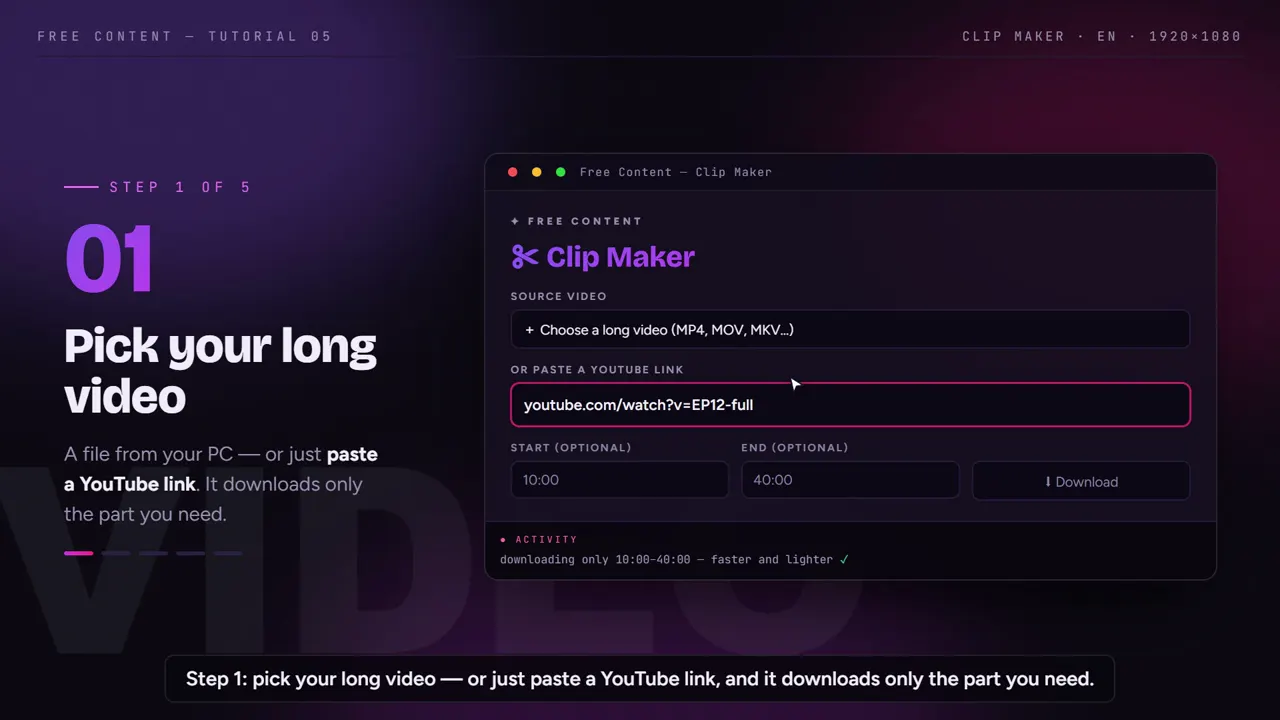
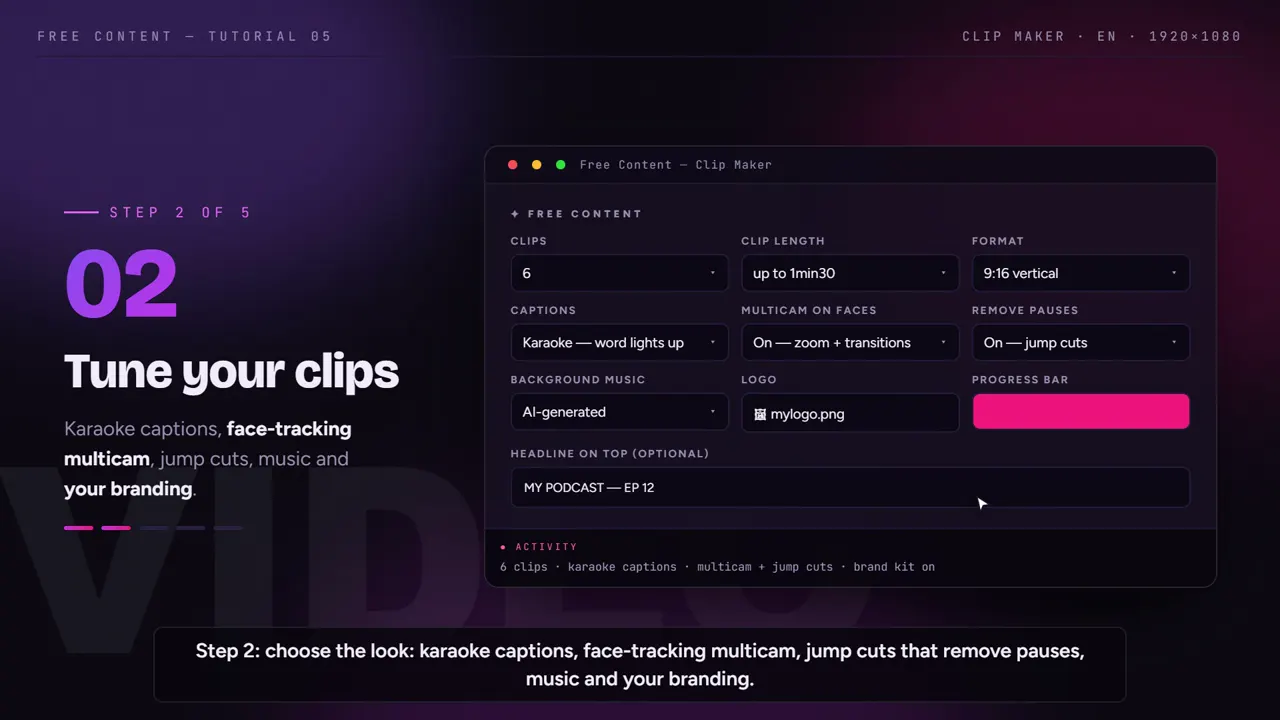
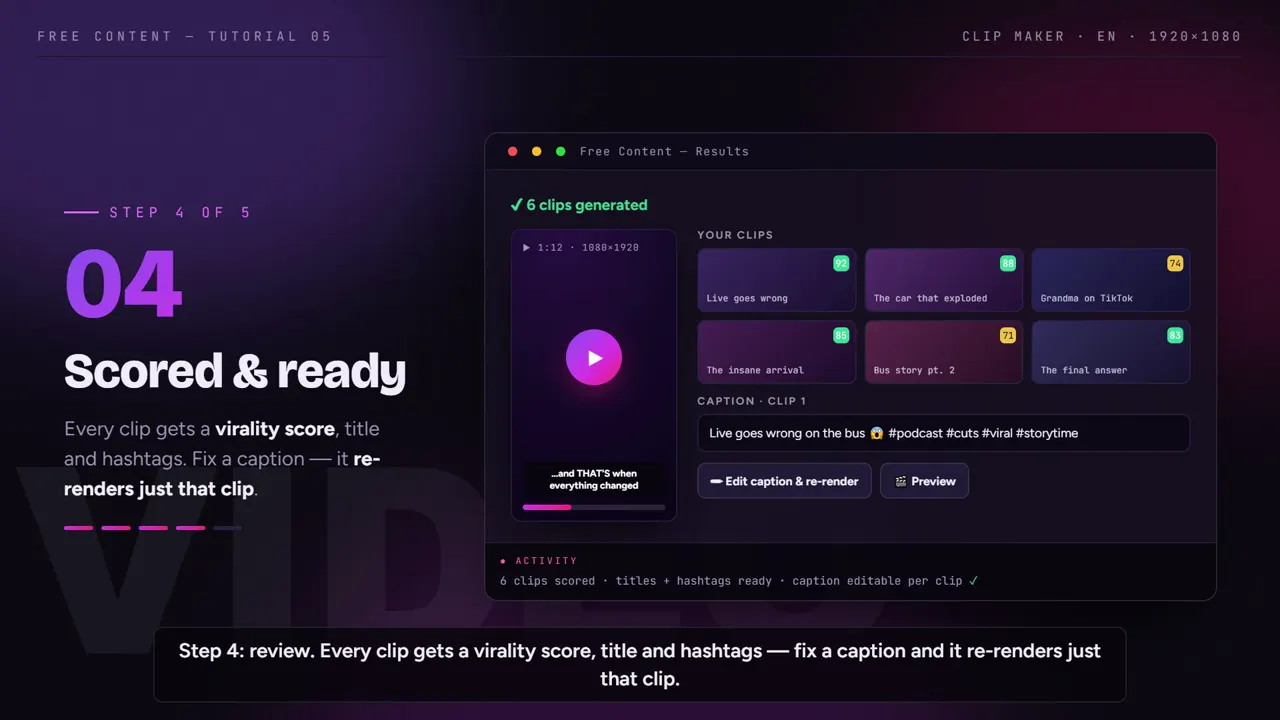
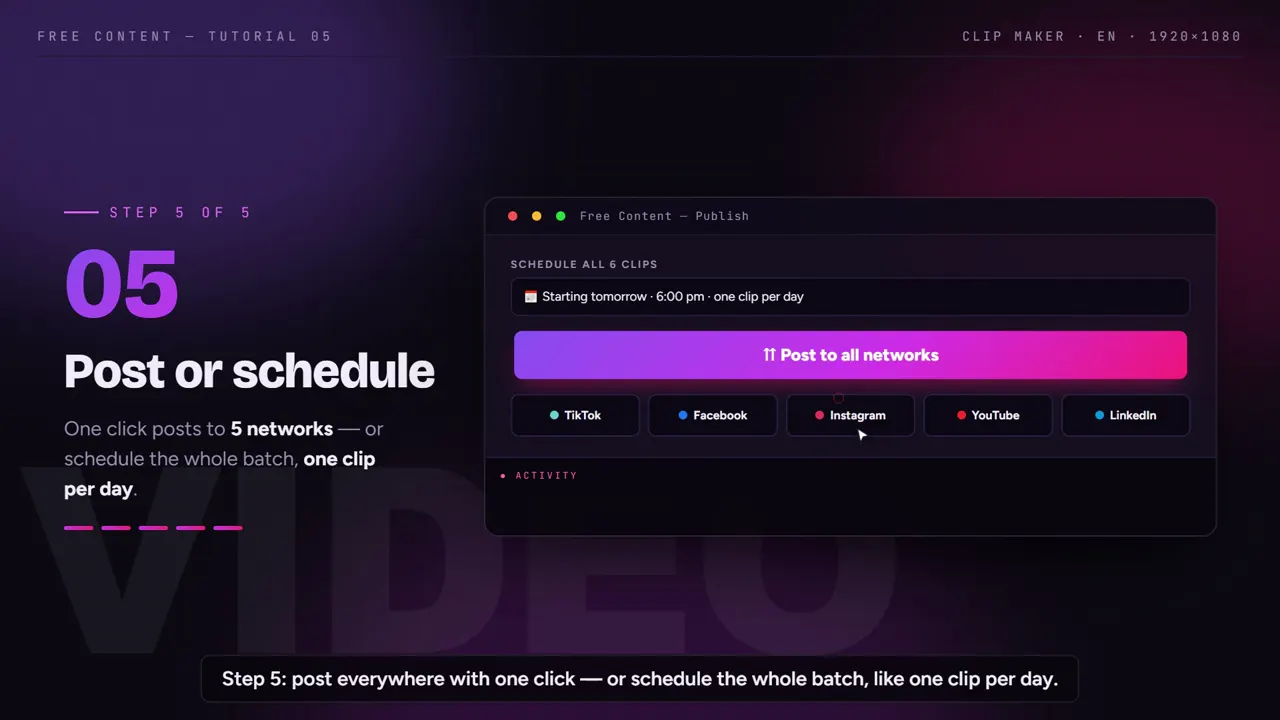
Wisecut vs Free Content, side by side.
Wisecut data taken from its official pricing page on October 24, 2026. Prices and limits change; check their site before you decide.
| Wisecut | Free Content | |
|---|---|---|
| Where it runs | in the browser (app.wisecut.ai) | desktop app on your PC — Windows 10/11, Mac in beta |
| Free plan | 30 min/month, exports up to 3 min at 480p | 7 days with the full app, no limits |
| Entry paid plan | US$ 33/month: 5 h of editor + 2.5 h of Autopilot, up to 1080p | one plan, no minute quota, scheduling included — R$ 47/month (Brazilian reais) |
| Minute limit | per plan, every month | none — rendering is local |
| Watermark | none | none, not even on the trial |
| Max resolution | 4K on the US$ 118/month plan | Full HD (1080×1920 vertical) |
| Publishing to social | schedules and publishes on paid plans | 10 networks — TikTok, Facebook, Instagram, YouTube, LinkedIn, X, Threads, Bluesky, Pinterest and Bilibili — even on the trial |
| Make a video without footage | not the focus | 8 formats from a single topic |
| Languages | website in several languages — check their site | interface and creation in English, Portuguese, Spanish, French, German and Italian; transcription detects the spoken language |
Where Wisecut wins: it runs on any computer with a browser, doesn't use your processor and offers 4K on its top plan. Where Free Content wins: there is no quota — if you clip podcasts, livestreams or sermons every week, you don't have to ration editing hours or upload multi-gigabyte files.
What the Clip Maker does in every clip.
The Clip Maker is the part of Free Content that covers what Wisecut does. Everything below happens without you opening a timeline.
The best moments, not equal slices
- Transcribes the full audio before choosing
- Every clip starts and ends on a complete sentence
- The clip length you ask for is respected
A camera that follows the face
- Vertical, square or horizontal
- In vertical, the speaker stays in frame
- Works even when the source switches cameras
Synced karaoke captions
- Word by word, in rhythm with the speech
- Can be translated into another language
- A word is wrong? Fix it and redo only that clip
Publishing and scheduling
- Title, hashtags and a virality score
- Posts to 10 networks in one click
- Or schedules the whole batch, one a day
When switching makes sense — and when it doesn't.
Stay with Wisecut if you use a Chromebook or a weak computer, clip little each month and fit comfortably in the quota, or need 4K exports. In those cases the browser does the job and your processor will thank you.
Switching to a Wisecut alternative makes sense if you hit the hour limit every month, if your material is long (a two-hour podcast, a full livestream, a recorded sermon) and uploading already takes longer than editing, or if you also want to create videos from scratch — cards, narrated videos with internet clips, product ads — in the same app that clips and publishes.
The 7-day trial comes with everything unlocked and no credit card. You can cut the same video in both and compare the results before paying anything.
Who it's for — and what else to compare.
It fits people with a lot of long material every week: a clip channel, a show turning episodes into podcast clips, a church posting sermon clips, or an agency handling several clients — see video automation for agencies.
Compare also: Opus Clip alternative, Vizard alternative, CapCut alternative, plus the best Opus Clip alternatives and the CapCut alternatives for clips.
Frequently asked questions.
If your question is about the app in general, the home FAQ covers the rest.
Is Free Content free like Wisecut's free plan?
Why is there no minute limit?
Does it work on a Mac or a Chromebook?
Can I clip a video from a YouTube link?
What language do the captions come out in?
Can I use both at the same time?
Does it work in languages other than English?
Do the clips come out with a watermark?
What resolution do the clips come out in?
What files does it accept?
Can I choose the caption style?
Cut the same video in both and compare.
Download it, point it at the video you'd cut in Wisecut and watch the clips come out ready — without uploading anything.
⤓ Download Free Content for Windows