AI podcast clips: one episode, a week of posts.
The episode is already recorded. AI podcast clips are what bring new listeners to it. Free Content turns the whole episode into vertical clips with the camera on whoever is speaking, captions and a title — and schedules one a day.
How to make podcast clips in three steps.
Record on Monday, and the whole week of posts is ready the same day.
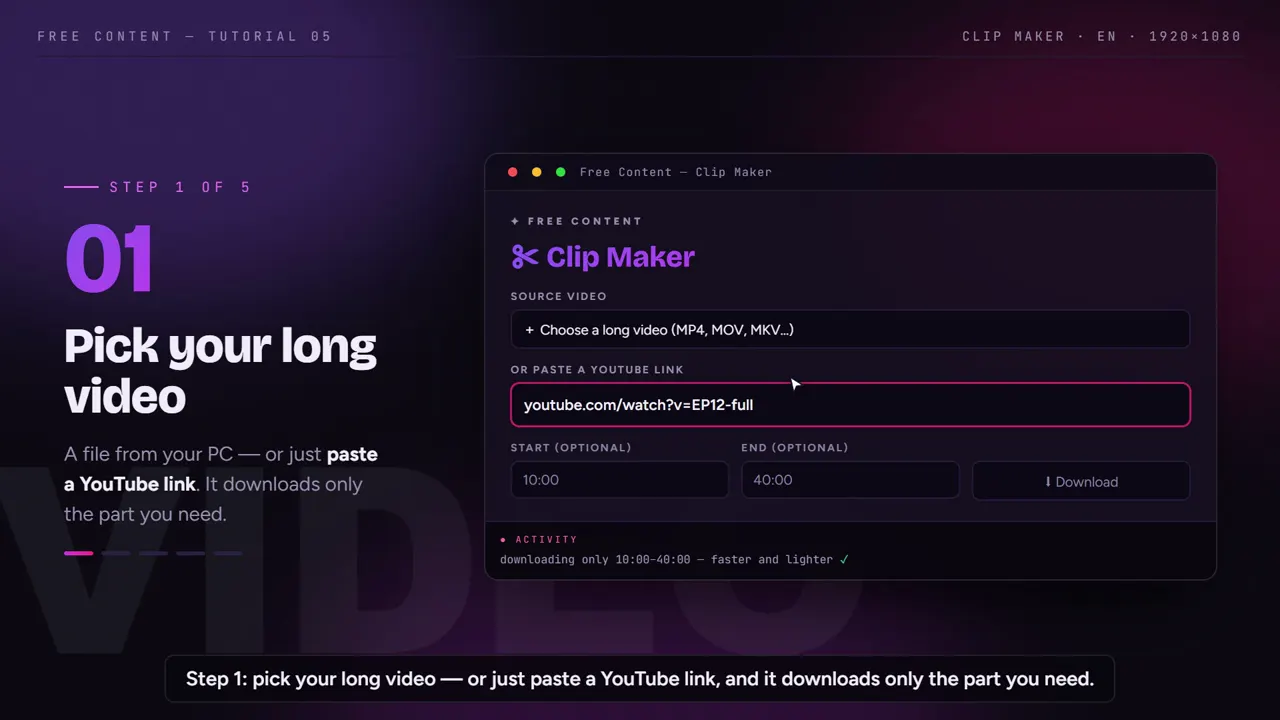
Point to the episode
The final file, straight out of editing, or the episode's YouTube link. The file stays on your computer: nothing is uploaded to a server.
Ask for the clips
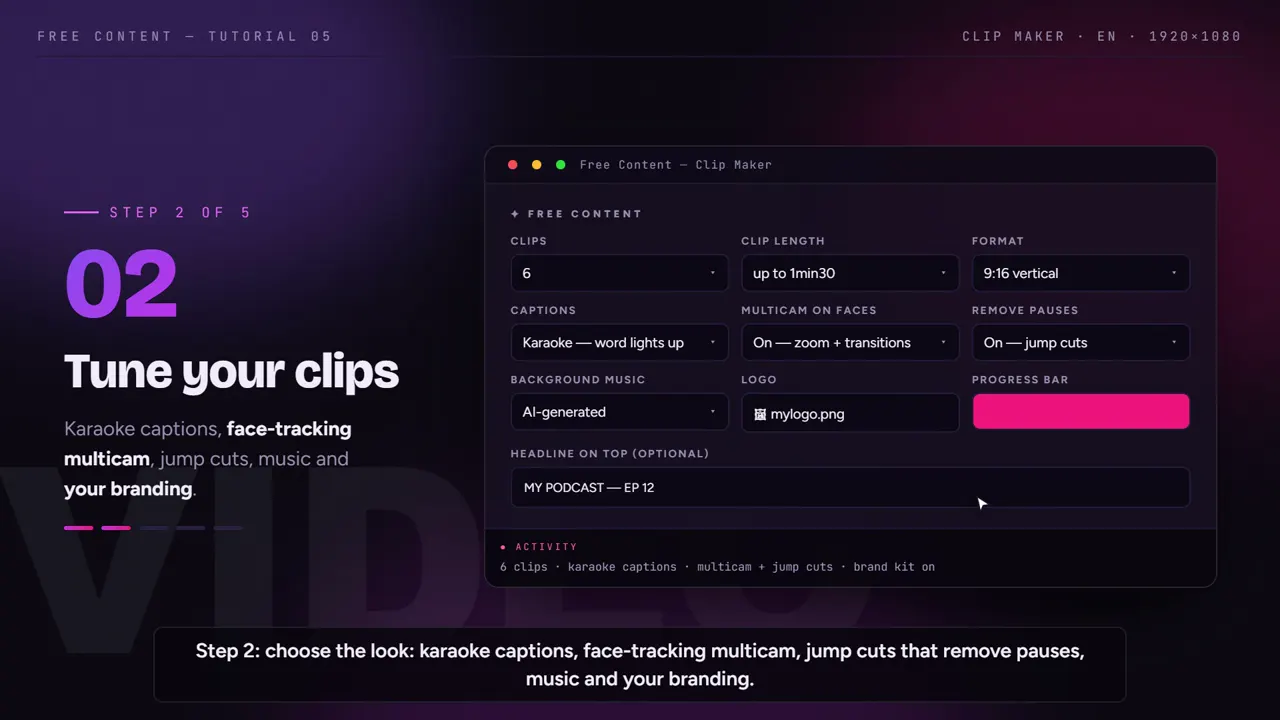
Say how many clips and how long. The AI reads the full transcript and picks the strongest moments of the conversation, always closing on a complete sentence.
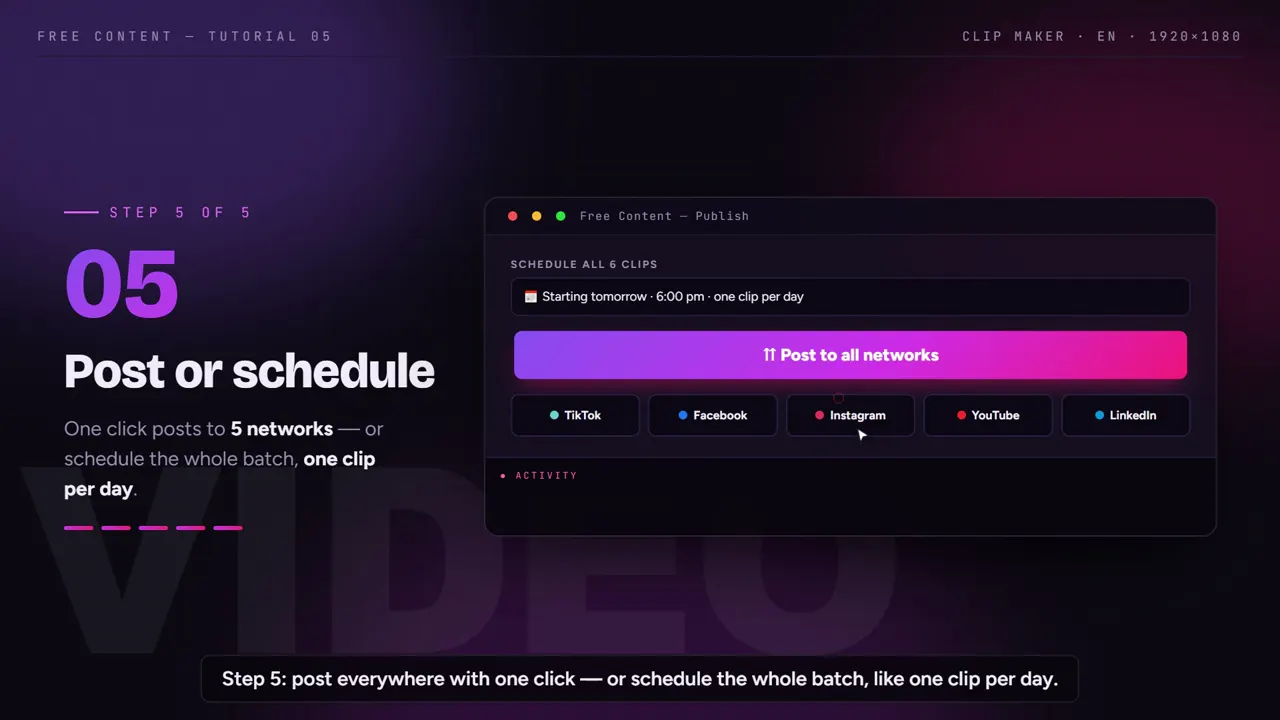
Schedule one a day
Sort by virality score and schedule the batch across the 10 networks. Next week's episode goes through the same flow.
From episode to clips, in a minute and a half.
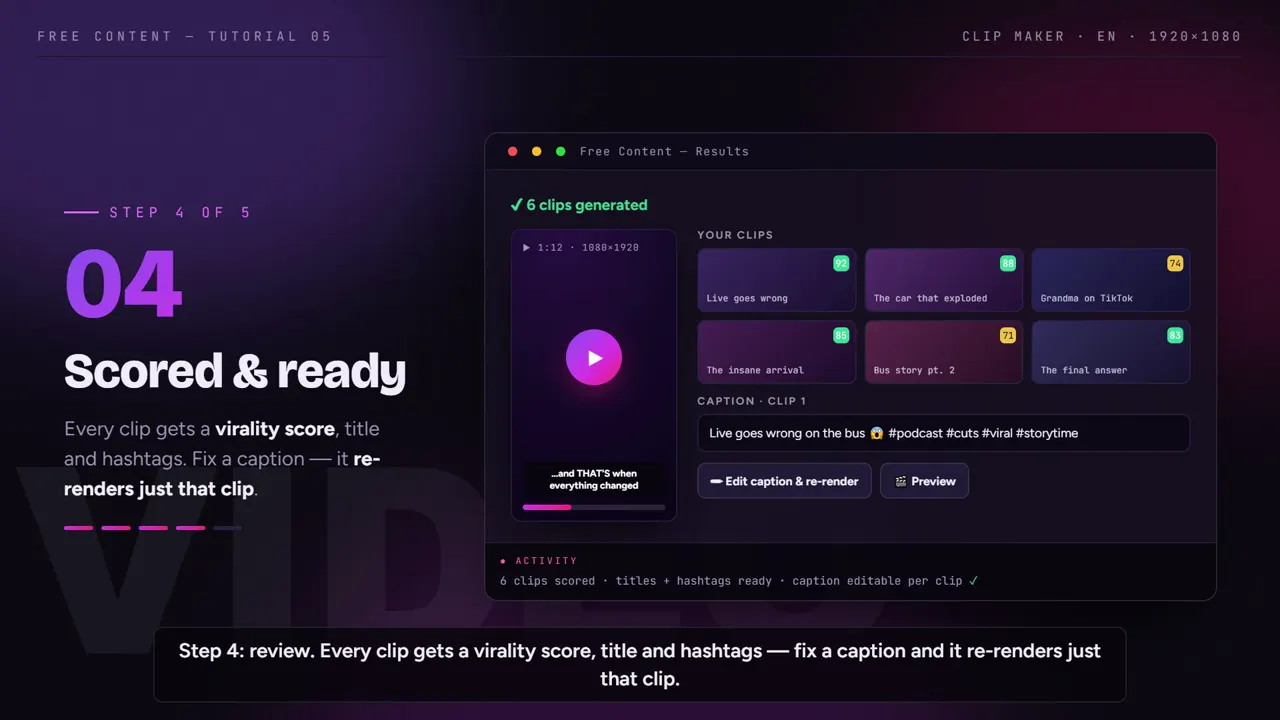
A tutorial recorded inside the app: a long video becomes vertical clips with captions, the face in frame and a virality score.
What it looks like inside the app.
Screens from the tutorial recorded in the app.
Built for conversations, not monologues.
A podcast has two, three, four people at the table. A vertical clip needs to know who's speaking right now.
The frame follows the speaker
- In vertical, the camera tracks the face of whoever is speaking
- Keeps working when the episode switches cameras
Clips that make sense on their own
- Start and end on a complete sentence
- Pauses and hesitations are cut out of each clip
- You set the length; the AI respects it
For people watching on mute
- Word-by-word karaoke, in rhythm with the speech
- Guest's name spelled wrong? Fix it and redo only that clip
- Can be translated into another language
Your show's identity
- Podcast logo and progress bar
- A written hook at the top of the clip
- AI-generated music under the speech
What a weekly podcast's week looks like.
An example plan. You choose the number of clips — and it depends on how much strong material the episode has.
| Day | What happens | Who does it |
|---|---|---|
| Monday | record and finish editing the episode | you |
| Monday | point to the episode and ask for 7 clips | you, in a few clicks |
| Monday | transcription, moment selection, face tracking, captions | the app, on your PC |
| Monday | review the clips, fix a word here and there | you |
| Monday | schedule the batch: one clip a day | the app |
| Tuesday to Sunday | a new clip every day on the chosen networks | the scheduler |
The part that used to be yours — rewatching, noting timestamps, framing and captioning — becomes review. The scheduled list shows everything in the queue, and you can cancel any post before it goes out.
A two-hour episode is no problem.
Podcasts are long by nature, and that's where browser tools get tight: uploading a multi-gigabyte file and spending the month's minute quota on two episodes. In Free Content, clipping and rendering happen on your computer. No raw file upload, no queue and no monthly minute limit. The time depends on your hardware.
Transcription runs locally, with Whisper, and detects the spoken language on its own. If your guest speaks Spanish or Portuguese, the clip comes out captioned in their language — or translated into English, with sentence-by-sentence captions. Title and hashtags come out in the caption language.
Each clip comes with a title, hashtags and a virality score. It helps decide the order for the week: the strongest moment goes out on Tuesday, right after the episode drops, and the others follow on the next days. It's the AI's estimate, not a promise of reach — but it takes the guesswork out of the decision.
Want to go beyond the Clip Maker? See how the app turns a long video into short clips, how it takes the episode from YouTube to Shorts and how it posts to social media on its own.
Frequently asked questions.
If your question is about the app in general, the home FAQ covers the rest.
Does it work with podcasts recorded on multiple cameras?
My episode is two hours long. Can the app handle it?
Can I clip old episodes that are already on YouTube?
My guest spoke in another language. What language are the captions in?
The AI misspelled my guest's name in the captions. Now what?
Does the clip have to be vertical?
How much does it cost per episode?
How many clips should I post per week?
How do clips bring new listeners to a podcast?
Does it work with audio-only podcasts?
Can I choose the caption style?
Clip your latest episode today.
Download it, point it at your most recent episode and watch a week of posts come out ready to schedule. Seven days free, no credit card.
⤓ Download Free Content for WindowsWho it's for
- Clip channel
- Podcast clips
- Church sermon clips
- For agencies