A CapCut alternative that edits and posts on its own.
CapCut is a full editor, with a timeline, effects and AI tools — but you are the one putting the video together. This CapCut alternative for PC is an automatic queue: it cuts, captions with no watermark and publishes to 10 networks without you ever opening a timeline.
Manual editor vs automatic queue.
They are not the same kind of tool. CapCut helps you edit better. Free Content takes the editing off your hands and delivers the finished post.
You point to the video
A file on your PC or a YouTube link. There is no timeline to drag and no section to mark by hand.
The AI builds the batch
It picks the moments, frames the face, removes pauses, adds captions and writes a title and hashtags for every clip.
The app publishes
Post now or schedule the batch — one clip a day, for example — to TikTok, Facebook, Instagram, YouTube, LinkedIn, X, Threads, Bluesky, Pinterest and Bilibili.
The Clip Maker in a minute and a half.
A tutorial recorded inside the app: a long video becomes a batch of clips with captions and a face-tracking camera, without opening a timeline.
What it looks like inside the app.
Screens from the tutorial recorded in the app.
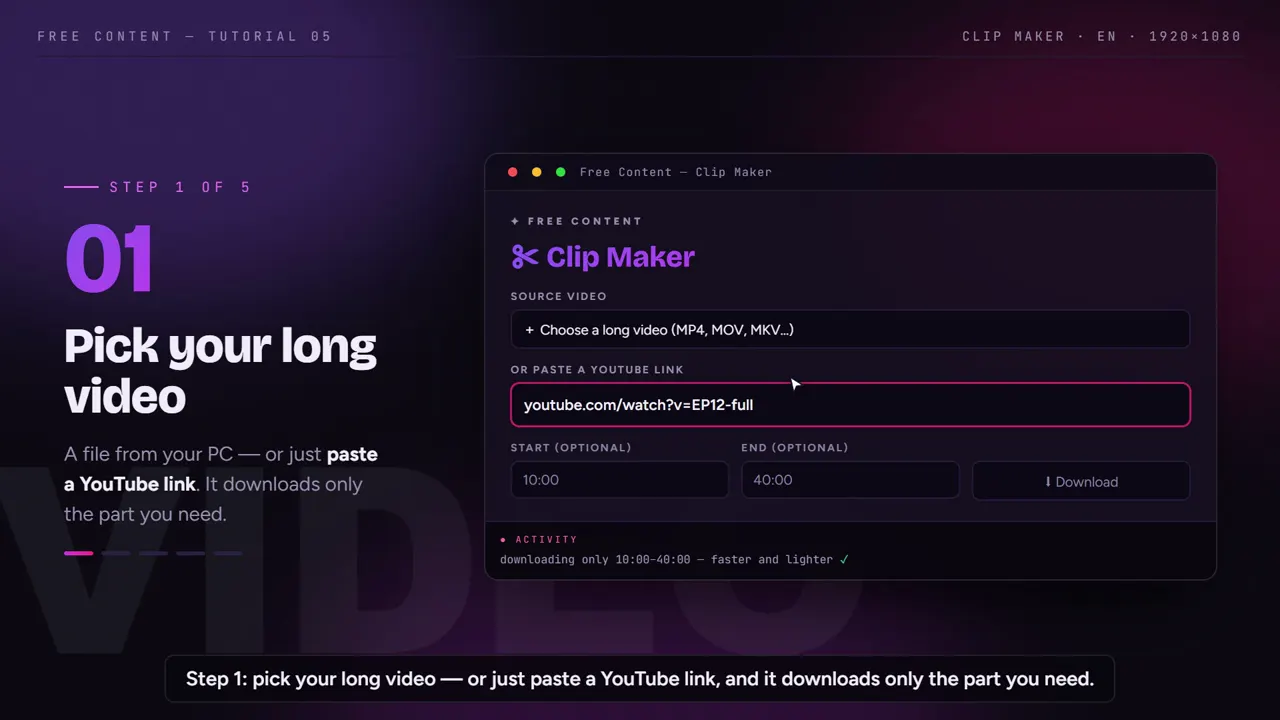
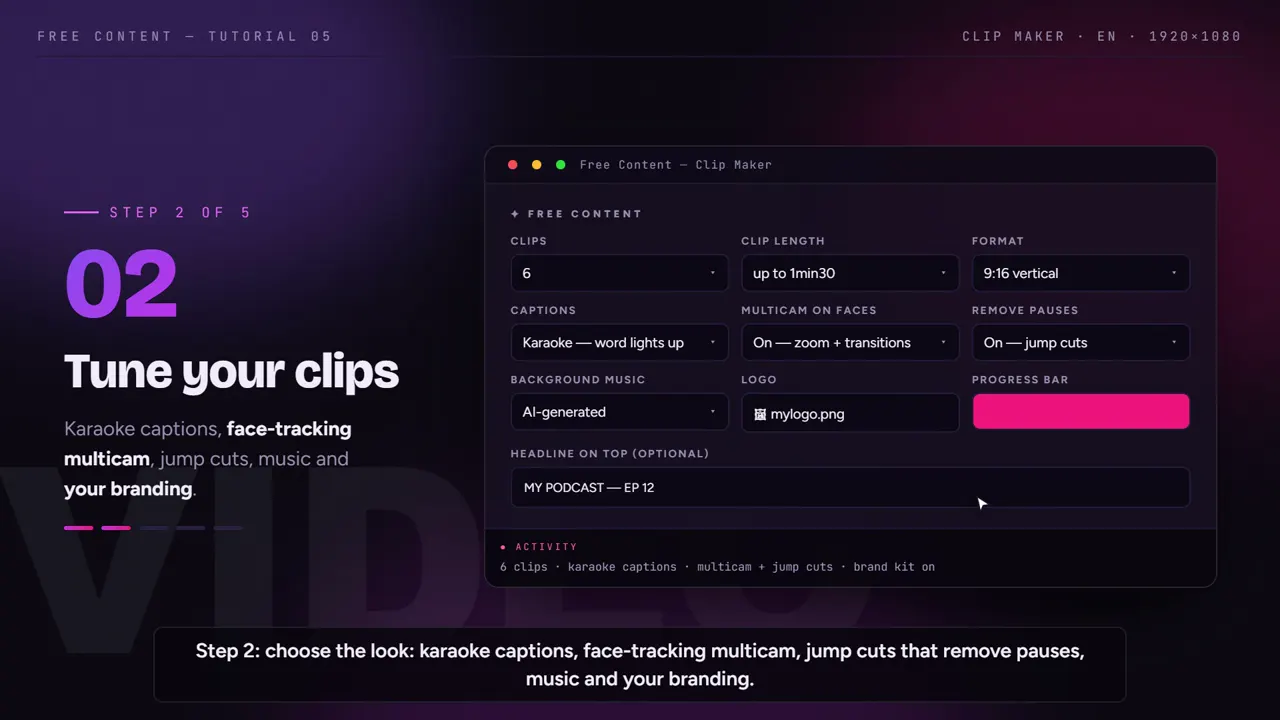
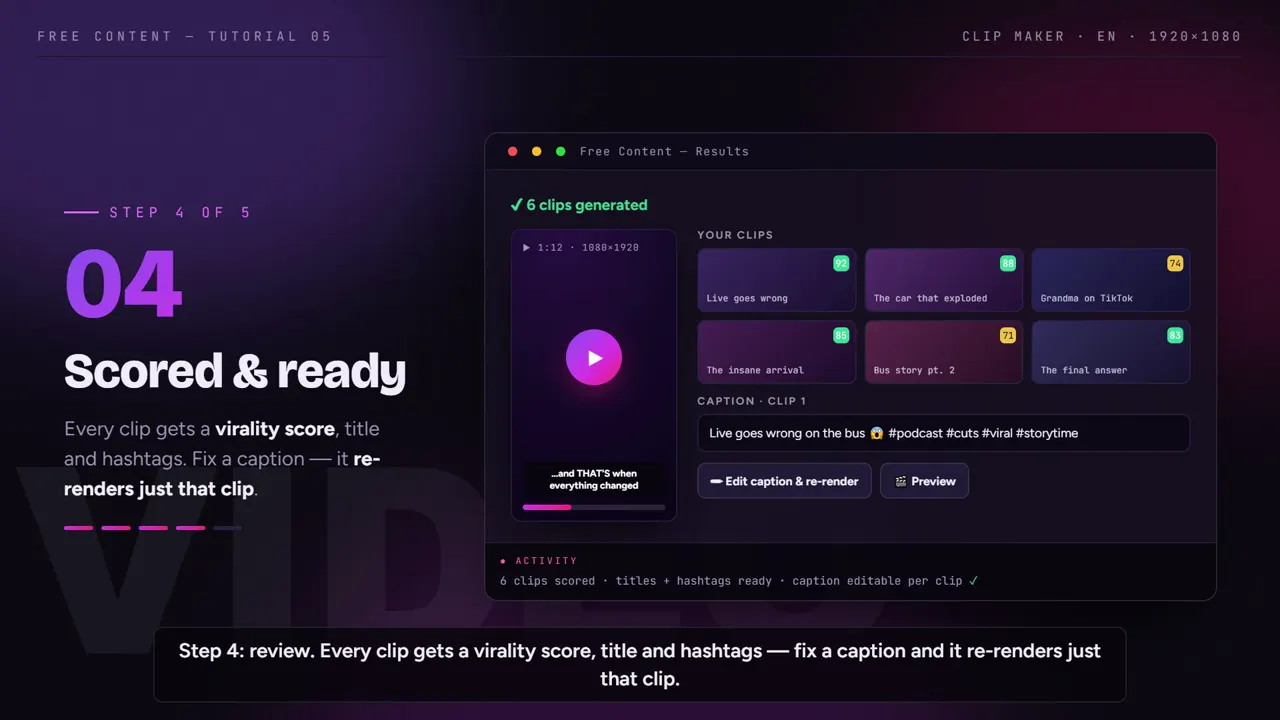
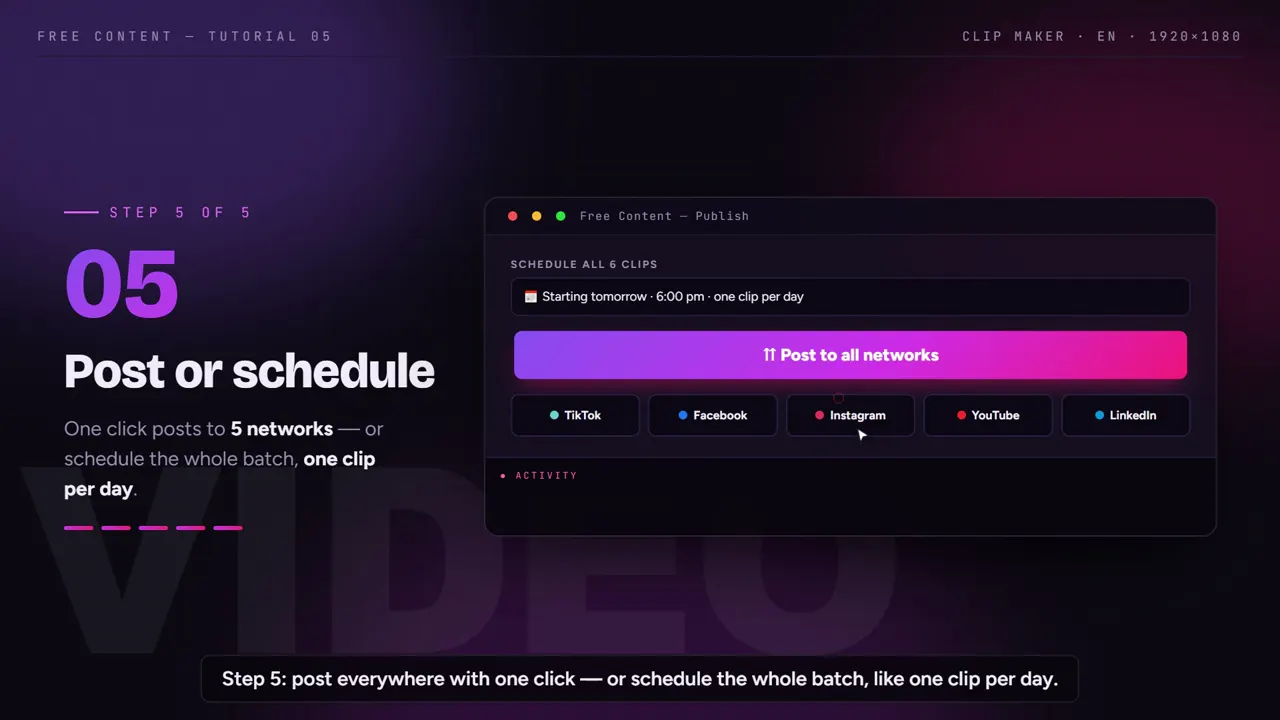
CapCut vs Free Content: what each one delivers.
CapCut data taken from its official site on October 24, 2026. The Pro price varies by country and platform, so it isn't listed here. Check their site before you decide.
| CapCut | Free Content | |
|---|---|---|
| Type of tool | manual editor with AI tools | automatic queue that cuts and publishes |
| Where it runs | phone, desktop and browser | desktop app on your PC — Windows 10/11, Mac in beta |
| Free-form timeline editing | complete: templates, effects, layers | none — the app assembles it for you |
| Long video into several clips | has a tool for it | Clip Maker: a whole batch with virality scores |
| Watermark | Pro features may leave a watermark on the free plan | never, not even on the trial |
| Publish and schedule | not an automatic posting queue | 10 networks, with batch scheduling |
| Make a video from a topic | you build it with templates and assets | script, voiceover and edit done, in 8 formats |
| Price | Pro varies by country and platform | one plan — no credits, no minute quota, scheduling included — R$ 47/month (Brazilian reais), 7 days free |
Where CapCut wins: full control over the edit, plenty of effects and templates, and a phone app to edit anywhere. Where Free Content wins: you don't edit — the long video turns into a batch of scheduled posts while you do something else.
A CapCut alternative for automatic clips.
Everything you would do click by click in CapCut happens here in a queue. You review at the end, if you want to.
Long video into a batch
- Recorded podcast, livestream, class or sermon (video)
- Clips that start and end on a complete sentence
- Pauses and hesitations removed
Your talking-head video
- Your own video up to 15 minutes
- Cuts silence and hesitation sounds
- Graphics, B-roll images and chapters
A video without recording anything
- You give the topic, the AI writes the script
- Voiceover in English, Portuguese, Spanish, French, German or Italian
- Internet clips, slides, a card or a product ad
A schedule that runs itself
- One click publishes to all 10 networks
- Batch scheduling, one a day
- A list to track and cancel posts
When switching makes sense — and when it doesn't.
Stay with CapCut if you enjoy editing, need specific effects and transitions, make original videos where every cut is crafted by hand, or edit mostly on your phone. For that kind of work, a full manual editor is the right tool — and Free Content doesn't try to be one.
Switching makes sense if the bottleneck isn't creativity but time: you have hours of recorded podcasts or livestreams and can't edit them all, or you edit well but forget to post. Free Content handles both ends: it edits on its own and posts on its own.
It also makes sense if you want to keep a profile active without recording every day. The AI video generator creates a narrated video from a topic, and the scheduler spreads it across the week.
Plenty of people use both: Free Content produces the day-to-day volume, and CapCut is saved for the special piece that deserves hand editing. The 7-day trial is complete and asks for no credit card.
Who it's for — and what else to compare.
It fits people who have more footage than editing time: a clip channel, a show turning episodes into podcast clips, a church posting sermon clips, or an agency producing for several clients — see video automation for agencies.
Compare also: Opus Clip alternative, Wisecut alternative, Vizard alternative, plus the best Opus Clip alternatives and the CapCut alternatives for clips.
Frequently asked questions.
If your question is about the app in general, the home FAQ covers the rest.
Does Free Content fully replace CapCut?
Is there a mobile version?
Do I need to know how to edit video?
Does it work for videos I record talking to the camera?
Can I make a video without having anything recorded?
How does the posting schedule work?
Can I cut in Free Content and polish in CapCut?
Is there a CapCut alternative for PC with no watermark?
Are the auto captions free?
Do the clips lose quality?
What files does it accept?
Let the queue edit and post for you.
Download it, point it at a long video that would take hours in CapCut and watch the batch come out cut, captioned and scheduled.
⤓ Download Free Content for Windows