Turn a long video into short clips that stand on their own.
A good clip isn't just any ten-second chunk. To turn a long video into short clips — Shorts, Reels and TikToks people actually watch to the end — the Clip Maker's AI reads everything that was said, picks moments with a beginning, middle and end, and delivers each short-form clip ready to post.
From long video to clips, in three stages.
In the Clip Maker, turning a long video into clips starts with the text, not the image. That's what separates a moment that makes sense from a random slice.
Point and transcribe
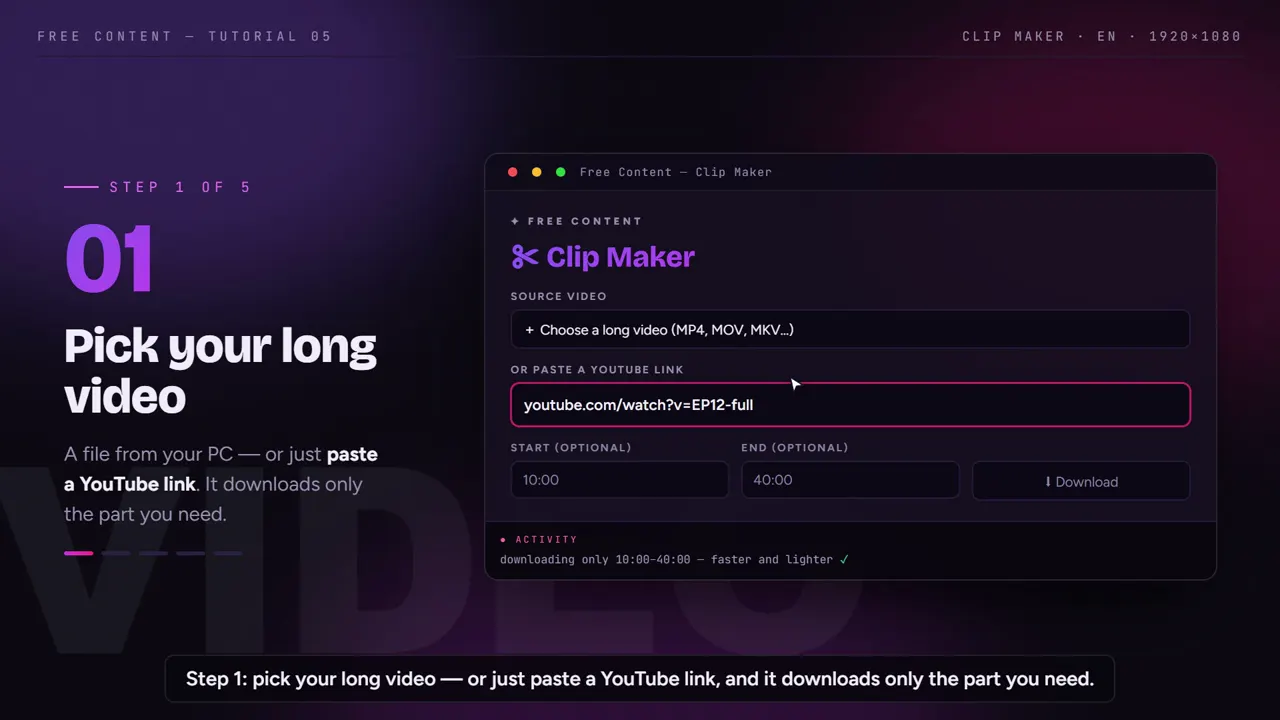
Point to a file on your PC or paste a YouTube link — with a link, only the section you mark is downloaded. The full audio becomes text on your own PC, with the spoken language detected automatically.
Picks the moments
The AI reads the conversation and pulls out the strongest moments. Every clip starts and ends on a complete sentence, at the length you asked for.
Delivers it finished
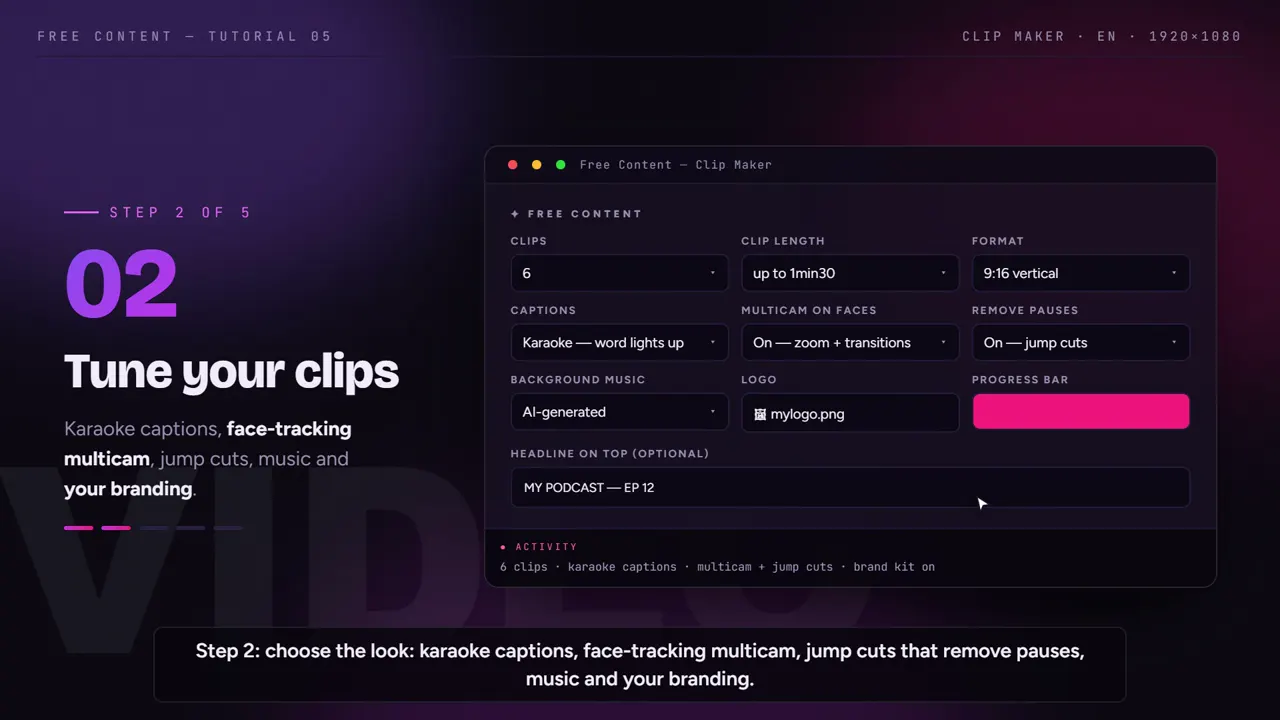
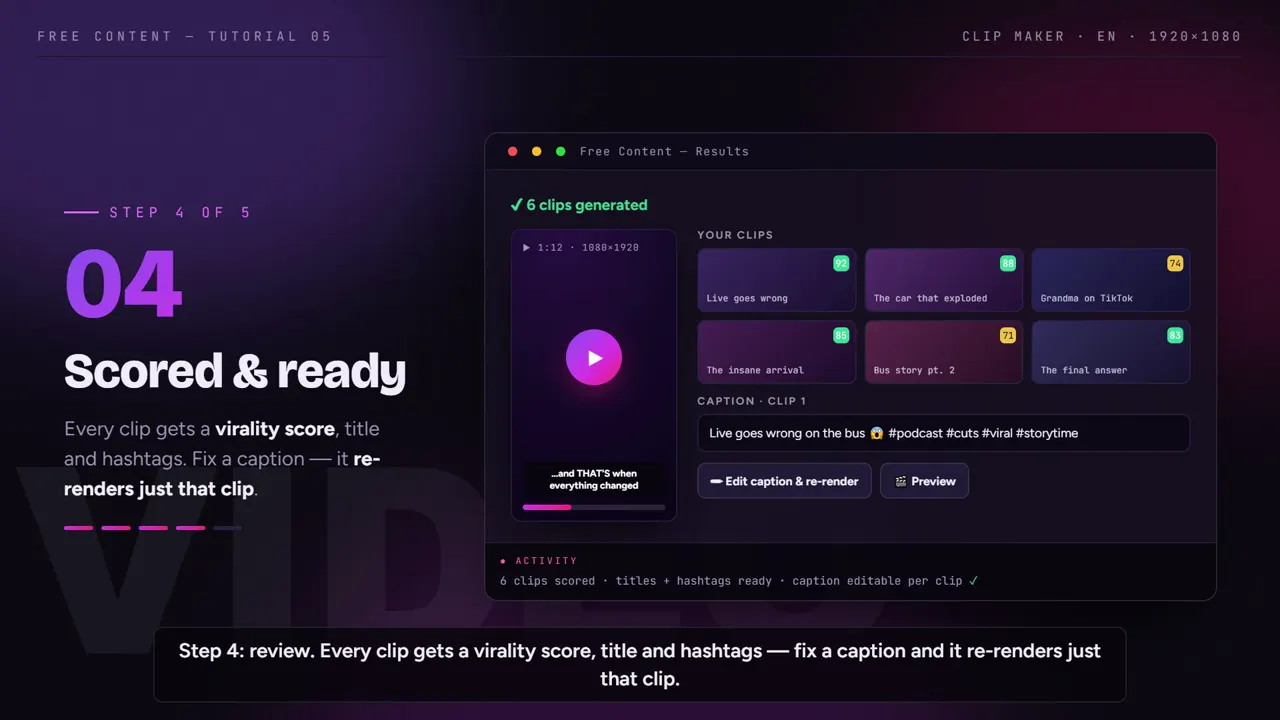
No pauses, with karaoke captions, a camera on the speaker's face, a title, hashtags and a virality score.
A long video turning into clips, start to finish.
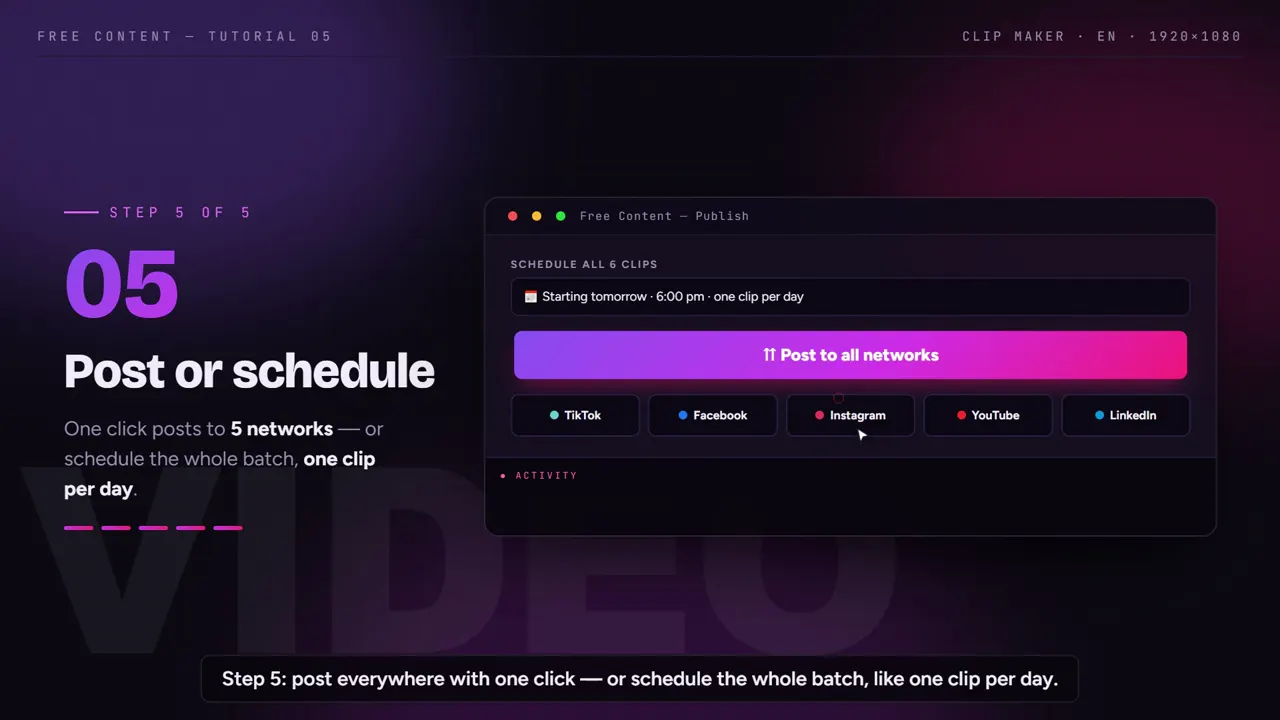
A tutorial recorded inside the app: the Clip Maker transcribes, picks the moments and delivers each clip with captions and a face-tracking camera.
What it looks like inside the app.
Screens from the tutorial recorded in the app.
What makes a clip work.
Four things separate the clip that holds people from the one they skip in the first second. The Clip Maker takes care of each one.
A moment that makes sense alone
- Selection based on the full transcript
- Strong moments, not equal-sized chunks
- Never starts or ends mid-sentence
No dead air
- Pauses and hesitations removed inside each clip
- The requested length is respected
- If the video is too short for the number requested, the app warns you
Watchable without sound
- Word-by-word synced captions
- In vertical, the speaker stays in frame
- Hook at the top, progress bar and your logo
The best one goes first
- Each clip gets a virality score
- Title and hashtags already written
- Schedule the batch, one clip a day
Short-form clips for Shorts, TikTok and Reels.
The same batch of short clips serves the three big short-form feeds. The app publishes or schedules to all of them — plus Facebook, LinkedIn, X, Threads, Bluesky, Pinterest and Bilibili.
Shorts from your long videos
- Vertical 1080×1920, the Shorts format
- Long video already on YouTube? Paste the link and mark the section
- See the full path from YouTube to Shorts
Clips that work on mute
- Word-by-word karaoke captions
- A written hook at the top of the clip
- Title and hashtags ready to post
Reels and the Facebook feed
- The same vertical clip goes to Reels
- Square 1080×1080 if you prefer the feed
- Publish in one click or schedule the batch
Clipping by hand vs clipping with the Clip Maker.
The work of cutting a two-hour podcast in a regular editor, step by step.
| By hand, in an editor | In the Clip Maker | |
|---|---|---|
| Finding the good moments | watch the whole video noting timestamps | the AI reads the transcript and picks |
| Clip start and end | fine-tuning on the timeline | always on a complete sentence |
| Pauses and hesitations | cut them one by one | removed automatically |
| Captions | type and sync each block | karaoke generated from the transcript |
| Vertical format | reposition the frame every time the speaker changes | camera that follows the face |
| Title and hashtags | write them one by one | included with every clip |
| A word is wrong | reopen the project and export again | fix it and redo only that clip |
A manual editor still wins when you want full control over every frame, effect or transition. If you need ten or twenty clips a week from spoken material, the bottleneck is finding the moments — and that's exactly the part the Clip Maker takes off your hands.
Common mistakes when turning a long video into clips.
Asking for too many clips from too little material. A twenty-minute conversation rarely has fifteen moments that work on their own. Ask for fewer, better ones. If the math doesn't work with the chosen length, the app warns you before forcing it.
Ignoring the audio. Selection starts from the transcript. A distant mic, echo or loud music over the speech hurts any transcription — and, by extension, the choice of moments and the captions.
Posting the whole batch on the same day. Ten clips at once compete with each other. Use the virality score to decide the order and schedule one a day; the scheduled list shows what will go out and lets you cancel.
Only clipping the funny parts. Short explanations, strong opinions and direct answers to a question often perform as well as the joke. Let the AI read everything before you rule out a type of moment.
For specific cases, see how it works for podcast clips, for church service and sermon clips, for anyone who wants to build a clip channel and for agencies that clip for clients.
Frequently asked questions.
If your question is about the app in general, the home FAQ covers the rest.
How many clips can I get from a long video?
Does the AI just split the video into equal-sized chunks?
How does the AI choose the moments?
Can I get several Shorts out of one video?
What kind of long video makes the best clips?
My video is in Spanish. Does it work?
Can I use my computer while it clips?
Do the clips carry my channel's branding?
How much does it cost to clip long videos in Free Content?
Do the short clips lose quality?
Does it run on my phone or in the browser?
What files can I use?
Grab the last long video you recorded.
Point to the file or paste the link, ask for the clips and see which moments the AI would pick. Seven days free, no credit card.
⤓ Download Free Content for WindowsFeatures
- Long video to short clips
- Auto captions
- Horizontal to vertical
- Remove silence
- YouTube to Shorts