Church sermon clips: Sunday's message carries through the week.
The service has already been recorded or streamed. Sermon clips take the message to people who weren't there. Free Content turns the sermon into short videos with captions and leaves one a day scheduled — without your media volunteer needing to know how to edit.
Church sermon clips in three steps.
From Sunday's service to the week's posts, without opening an editing program.
Point to the recording
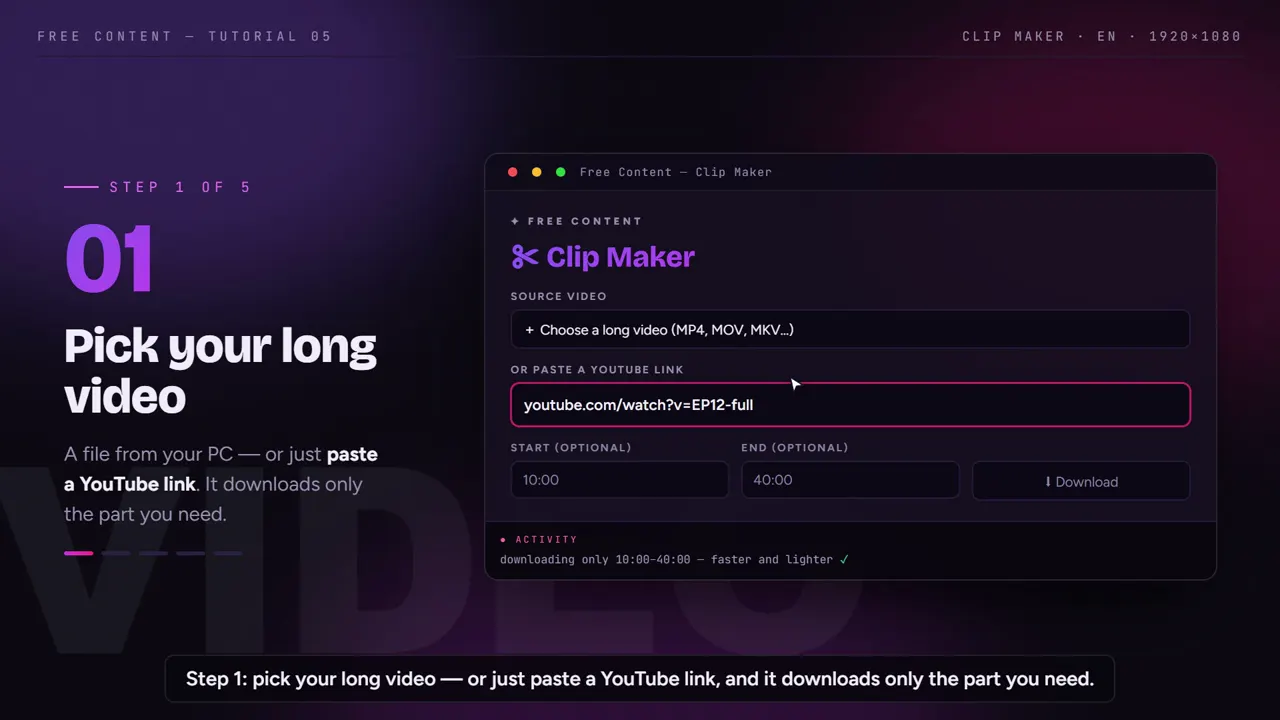
The service file on the church computer or the livestream link on YouTube. With the link, you mark just the sermon and the app downloads only that part.
Ask for the clips
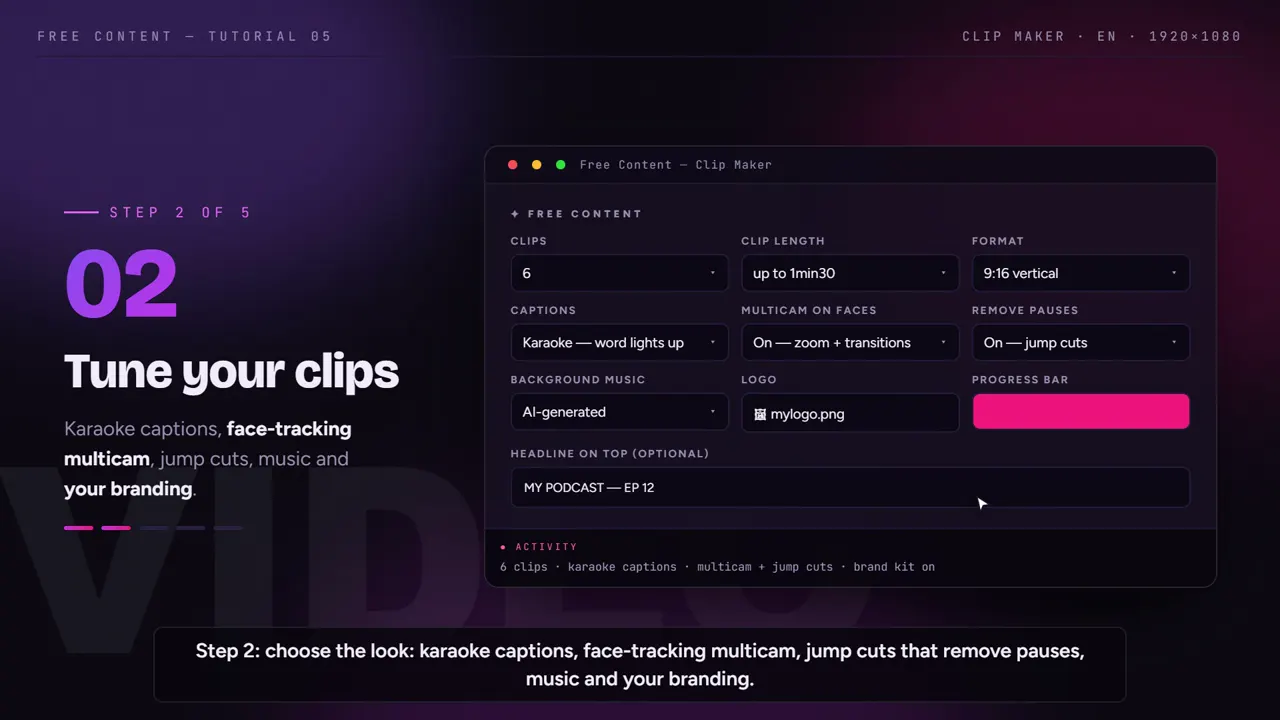
Choose how many videos and how long. The AI reads the whole sermon and picks the strongest moments, always starting and ending on a complete sentence.
Schedule the week
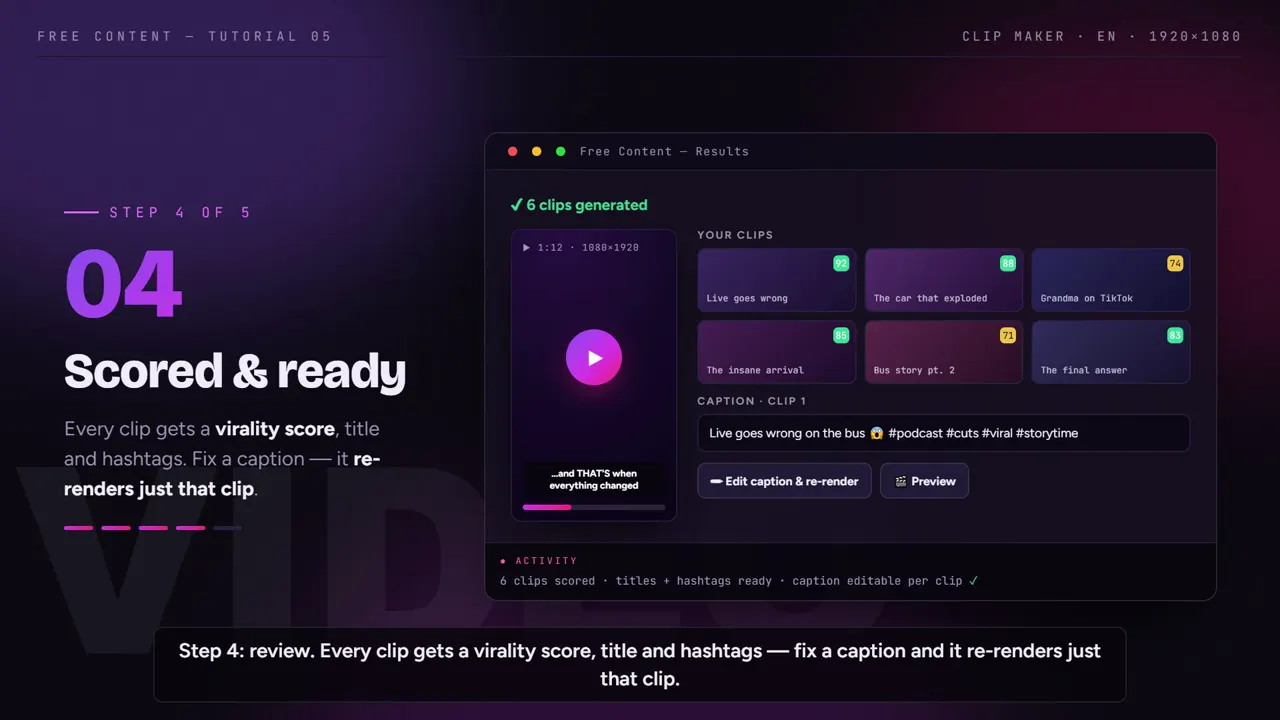
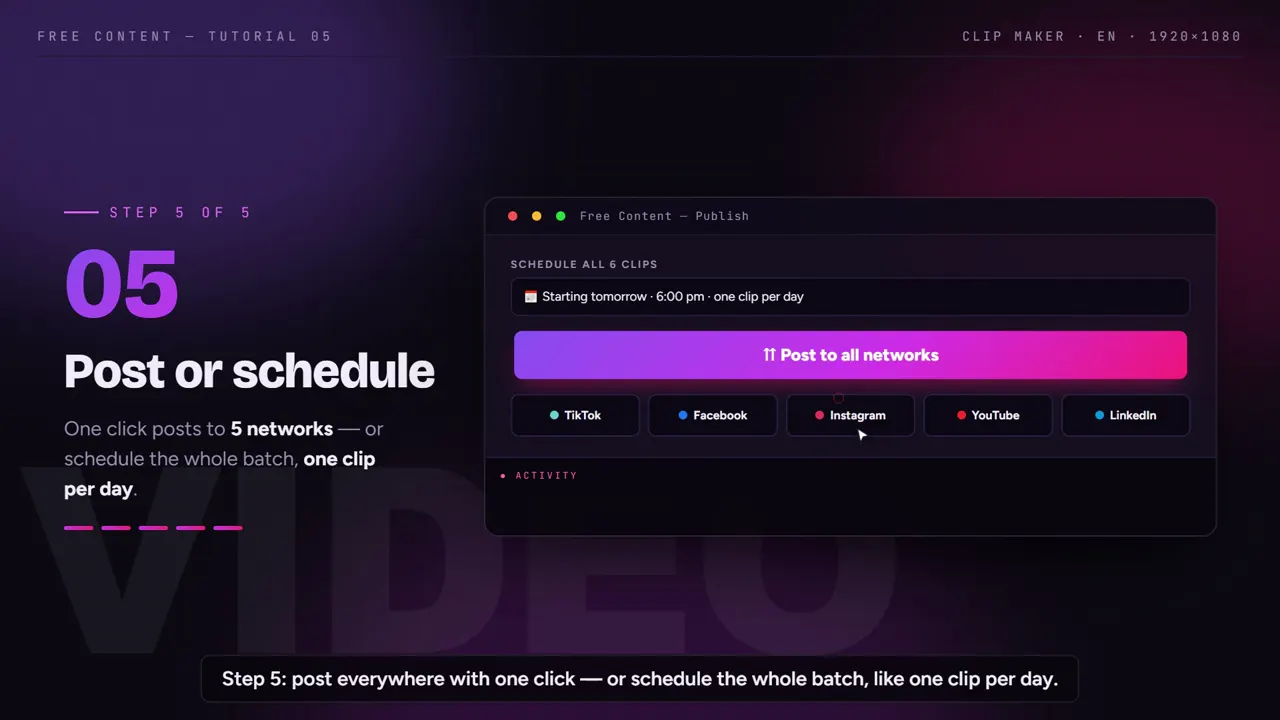
Review, fix whatever needs fixing and schedule: one clip a day on the church's Instagram, Facebook, YouTube, TikTok, LinkedIn, X, Threads, Bluesky, Pinterest or Bilibili.
See the Clip Maker at work.
A tutorial recorded inside the app: a long video becomes vertical clips with captions and the speaker's face always in frame. It works the same way with a church service.
What it looks like inside the app.
Screens from the tutorial recorded in the app.
Designed for the media volunteer.
In most churches, the person running social media is a volunteer doing it in their spare time. The app takes the technical part out of the way.
No timeline at all
- No dragging sections or trimming clips
- Long pauses are cut out of the video
- Someone who has never edited can run it
The preacher at the center
- Vertical video for Reels, Shorts and TikTok
- The camera follows the preacher's face
- Works even when the stream switches cameras
For people watching on mute
- Word-by-word captions, in rhythm with the speech
- A biblical name came out wrong? Fix it and redo only that video
- Can be translated into another language
Your church's look
- The church logo on the video
- An opening line at the top
- Title and hashtags ready for each post
One service, a week of content.
An example plan for the media team. The number of clips is up to you and depends on the length of the message.
| When | What to do | Volunteer time |
|---|---|---|
| Sunday | the service is recorded or streamed, as usual | none extra |
| Monday | point to the recording and ask for sermon clips | a few minutes |
| Monday | the app clips, frames and captions on the computer | none — you can step away |
| Monday | watch, fix a word here and there, approve | the time it takes to watch |
| Monday | schedule one video a day until the next service | a few clicks |
| Tuesday to Saturday | the message shows up in the feed every day | none |
If the pastor wants to see it first, just show the scheduled list: it shows everything that will go out, and any post can be canceled before it goes live.
With care and respect for the message.
The AI picks moments that make sense on their own, but the church is the one that knows the message. That's why you should always watch before publishing. A clip taken out of context can say something the pastor didn't mean — and reviewing prevents that.
Prefer clipping the sermon, authorized testimonies and announcements. Worship usually includes third-party music, and networks can block the video for copyright. On clips, the app already places AI-generated music under the speech.
It's also worth agreeing with leadership on how many videos go out per week and who approves them. A simple approach: the volunteer prepares the batch on Monday, the pastor or media lead watches it, and only then is the week scheduled. The app doesn't decide anything on its own — it just takes the grunt work out of the way.
The church computer needs to run 64-bit Windows 10 or 11; on Macs with Apple chips there's a beta version. Everything runs on it: the recording isn't uploaded to any server. To see the pieces up close, check out the auto captions, how the app can convert horizontal video to vertical and how it posts to social media on its own.
Frequently asked questions.
If your question is about the app in general, the home FAQ covers the rest.
Which app makes sermon clips automatically?
How do I make sermon clips for Instagram and Shorts?
Can someone who has never edited video use it?
Can I clip straight from the service livestream on YouTube?
Can I include worship music in the clips?
Does the app post to the church's pages?
How does the church pay?
Does it need a powerful computer?
Can I add the church logo? Does Free Content branding show?
Does the camera follow the preacher?
How long should a sermon clip be?
Are the church's videos safe?
Clip last Sunday's service.
Download it on the media computer, point it at the sermon recording and watch a week of videos come out ready to schedule. Seven days free, no credit card.
⤓ Download Free Content for WindowsWho it's for
- Clip channel
- Podcast clips
- Church sermon clips
- For agencies