Video automation for agencies: your whole client roster in one app.
A social media agency lives on delivering video to many clients, across many accounts, every week. Free Content brings AI video for agencies in 8 formats, keeps each client in a profile with their own accounts and schedules the batch across 10 networks.
Video automation for agencies, in three steps.
The same workflow for the client who streams live and for the one who has no video at all.
One profile per client
Each client becomes a profile with their own social media accounts. You switch at the top of the app, without logging out and back in.
Produce in the right format
Card, slideshow, video with internet clips, clips from a long video, product ad, Auto Editor, Copy an idea or another language.
Schedule in batches
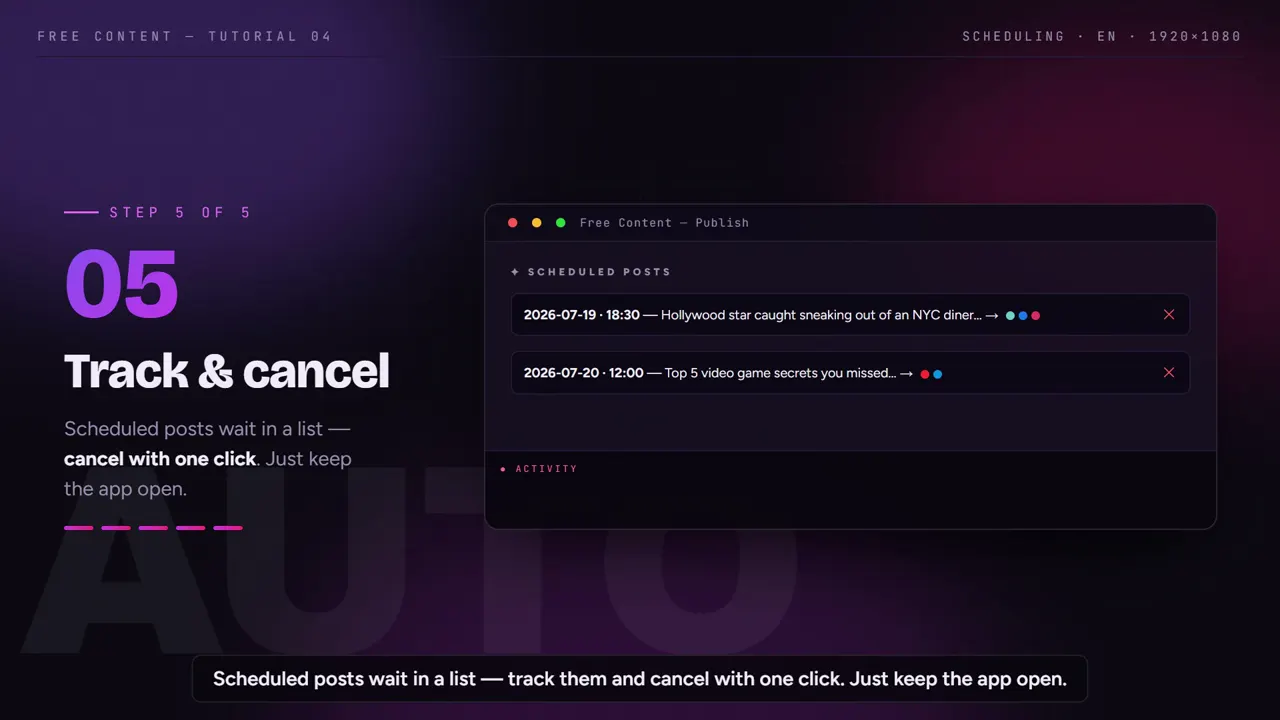
Schedule a client's whole batch at once, for example one video a day. The scheduled list shows everything that will go out and lets you cancel.
Batch scheduling, in practice.
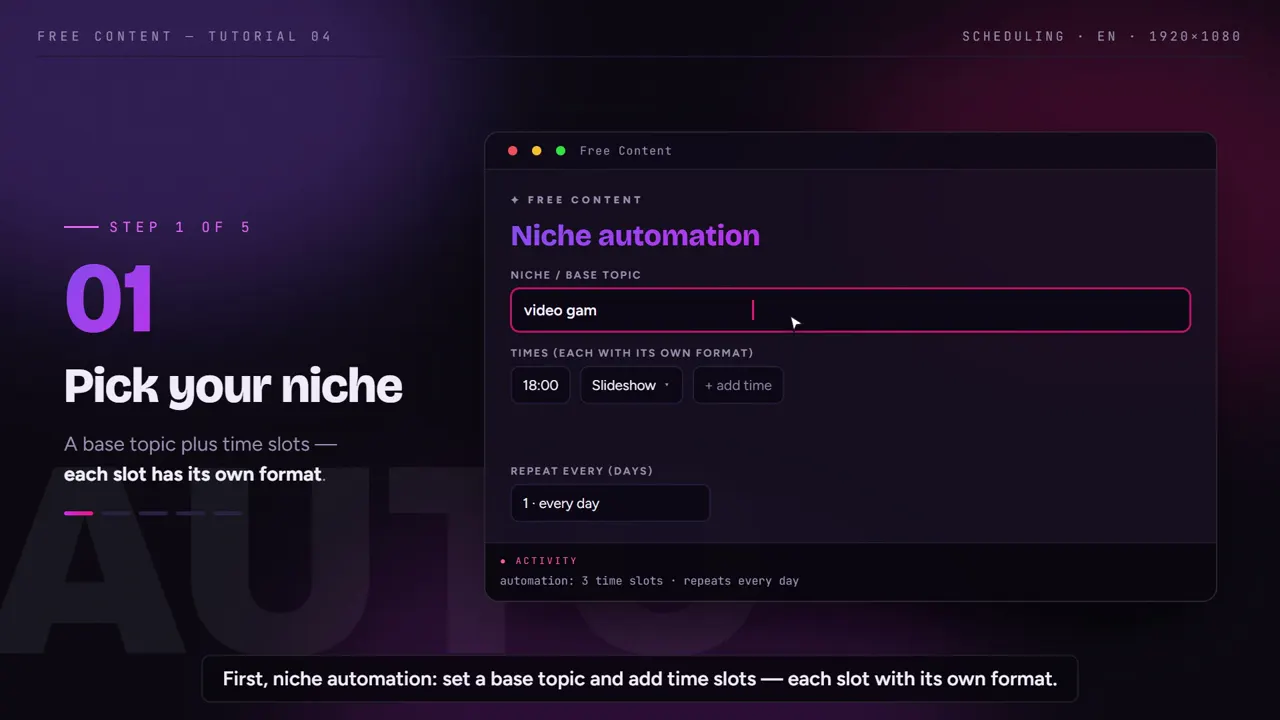
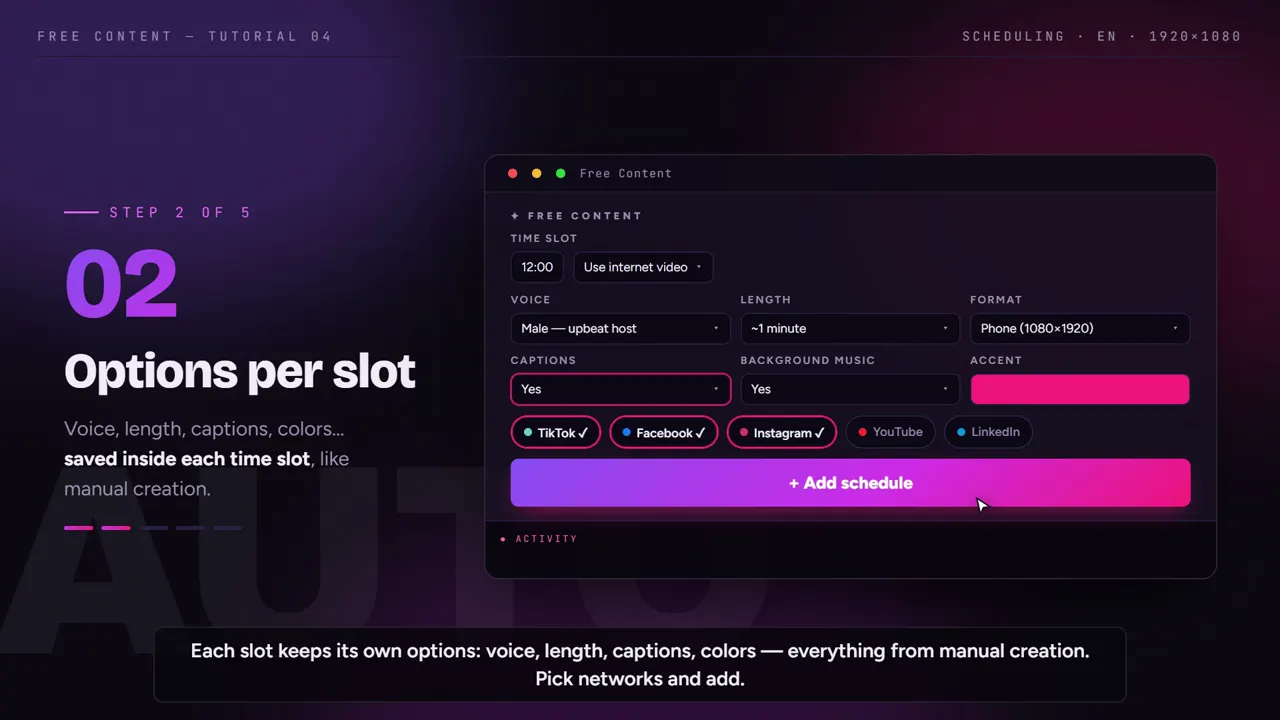
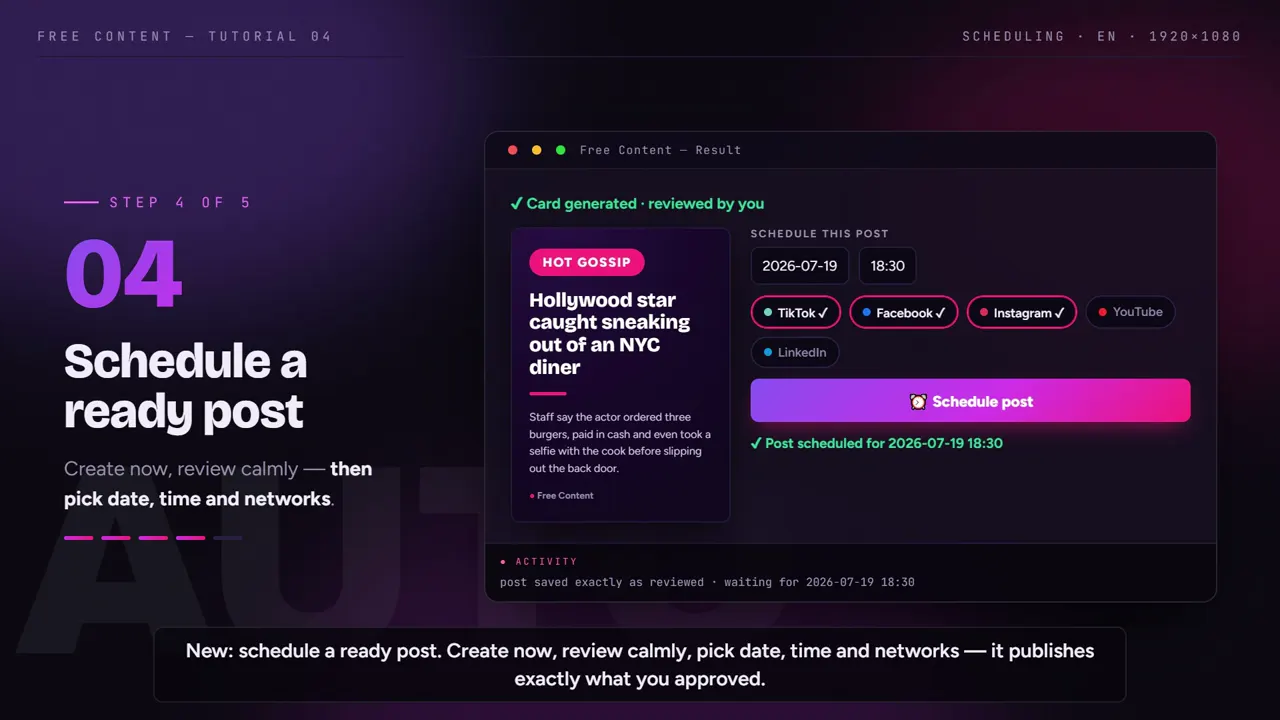
A tutorial recorded inside the app: how to schedule a batch of videos, follow the scheduled list and put posting on autopilot.
What it looks like inside the app.
Screens from the tutorial recorded in the app.
Which format fits which client.
The app's 8 formats, by what the client has on hand. Not every client records video — and they don't need to.
| Format | What goes in | Good for |
|---|---|---|
| Card | a topic | a daily tip or info post |
| Narrated slideshow | a topic | step-by-step, lists, short explanations |
| Video with internet clips | a topic | clients with no footage of their own |
| Clip Maker | long video: livestream, podcast, class, talk | clients who already record long-form content |
| Product ad | a product link | online stores: a narrated ad with price and coupon |
| Auto Editor | the client's talking-head video, up to 15 min | experts who record but don't edit |
| Copy an idea | a link to a video that worked | reuse the structure with new content, without using the original |
| Another format or language | content already made | repurpose it in another aspect ratio or language |
Videos created from a topic come out with a script and voiceover in English, Portuguese, Spanish, French, German or Italian. Clips from long videos work with speech in any common language, and captions can be translated.
What changes in the agency's day-to-day.
Fewer tool switches, fewer logins, fewer uploads. Your social media team spends the day approving, not assembling.
Clients kept apart
- Client profiles with several accounts each
- Switch profiles at the top of the app
- Client A's post never lands on client B's account
The week scheduled in one go
- Batch scheduling, one video a day
- A scheduled list to double-check
- Cancel any post before it goes out
Fixes without redoing everything
- A caption word is wrong? Redo only that clip
- In the Auto Editor, only the reviewed part is swapped
- Titles and hashtags ready for approval
Client material stays at the agency
- Local rendering, no raw file upload
- Files and keys stay on your computer
- Never adds a watermark
A cost that doesn't grow with your roster.
Cloud video tools usually charge per minute processed, per credit or per connected account. For an agency, that means every new client raises the bill. Free Content has a single plan: R$ 47/month (Brazilian reais). It doesn't change with the number of clients, connected accounts or rendered minutes.
That's possible because the heavy lifting happens on the agency's computer. There's no queue and no monthly export limit. The time for each video depends on the machine's hardware.
The text AI isn't on the bill either: the app uses the agency's own free keys from Google Gemini or NVIDIA NIM. If you prefer, you can use a paid key, such as Claude or GPT. To go deeper, see how the app auto-posts videos to social media, the AI video generator and the auto video editor. For clients who record long-form content, see how to turn a long video into short clips with auto captions, and how to remove silence from video.
Frequently asked questions.
If your question is about the app in general, the home FAQ covers the rest.
How do I keep each client's accounts separate?
Does the agency pay per client, per account or per minute?
Can I cancel a post that's already scheduled?
What about clients who have no recorded video?
Does client material go to any server?
Can I serve clients in other languages?
Does it work for e-commerce clients?
Is there a client approval workflow?
Does it work with a team of several social media managers?
Is it white label?
Set up your first client's profile today.
Download it, connect one client's accounts and schedule their week. Seven days with the full app, no credit card and no watermark.
⤓ Download Free Content for WindowsWho it's for
- Clip channel
- Podcast clips
- Church sermon clips
- For agencies